Product Guide
A preview of how Eggi is designed to work when the first public release arrives.
Guide map
The six parts of the first-release flow
Launch & Setup
Focus: Getting started
Start light while Eggi is still preparing the first public release
Step 1
Waitlist first
We are still in the startup phase, so waitlist updates keep early users close while launch preparation continues.
Join the WaitlistDream Feed
Focus: Inspiration
Discover restaurants, food spots, and cafes through a visual, inspiration-first flow
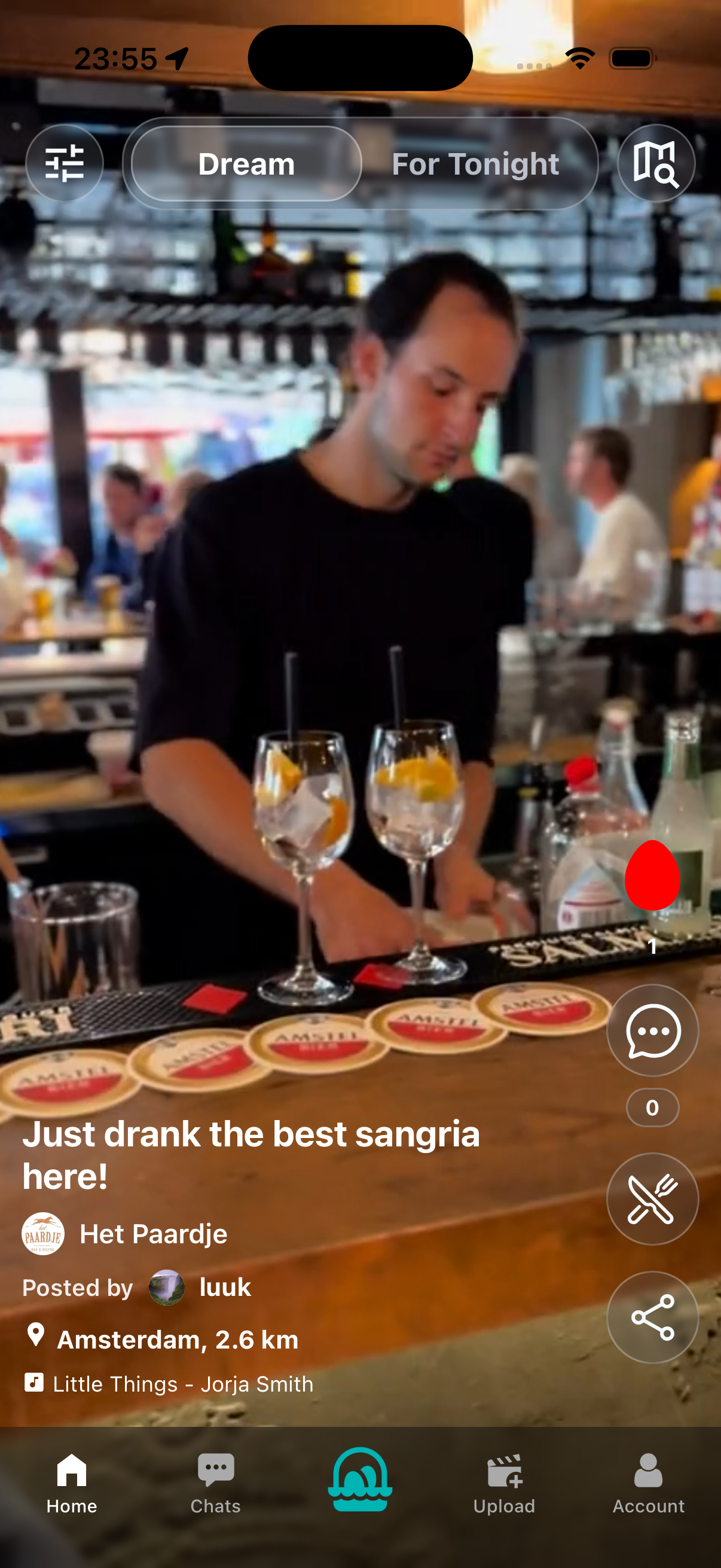
For Tonight + Map
Focus: Decision mode
Turn inspiration into a real plan with nearby, practical options
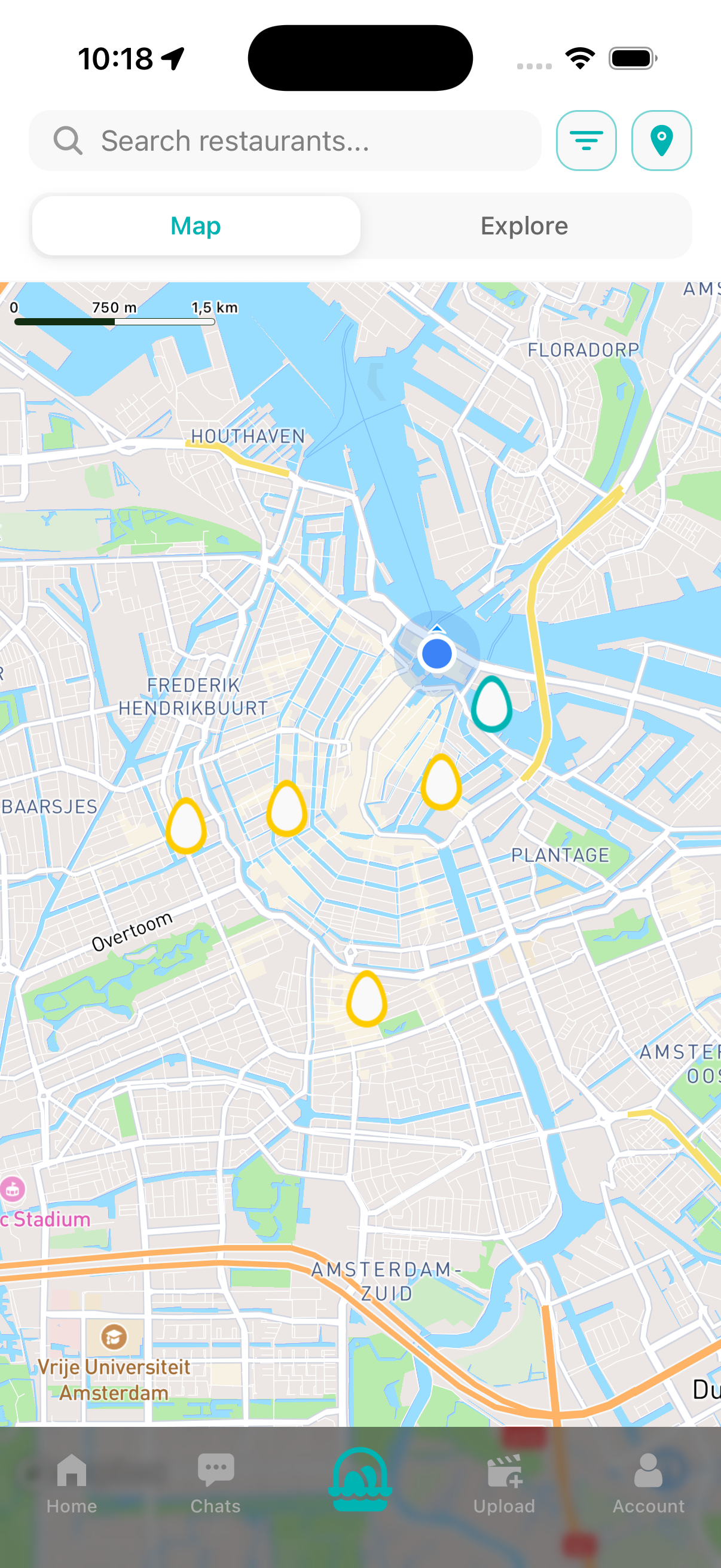
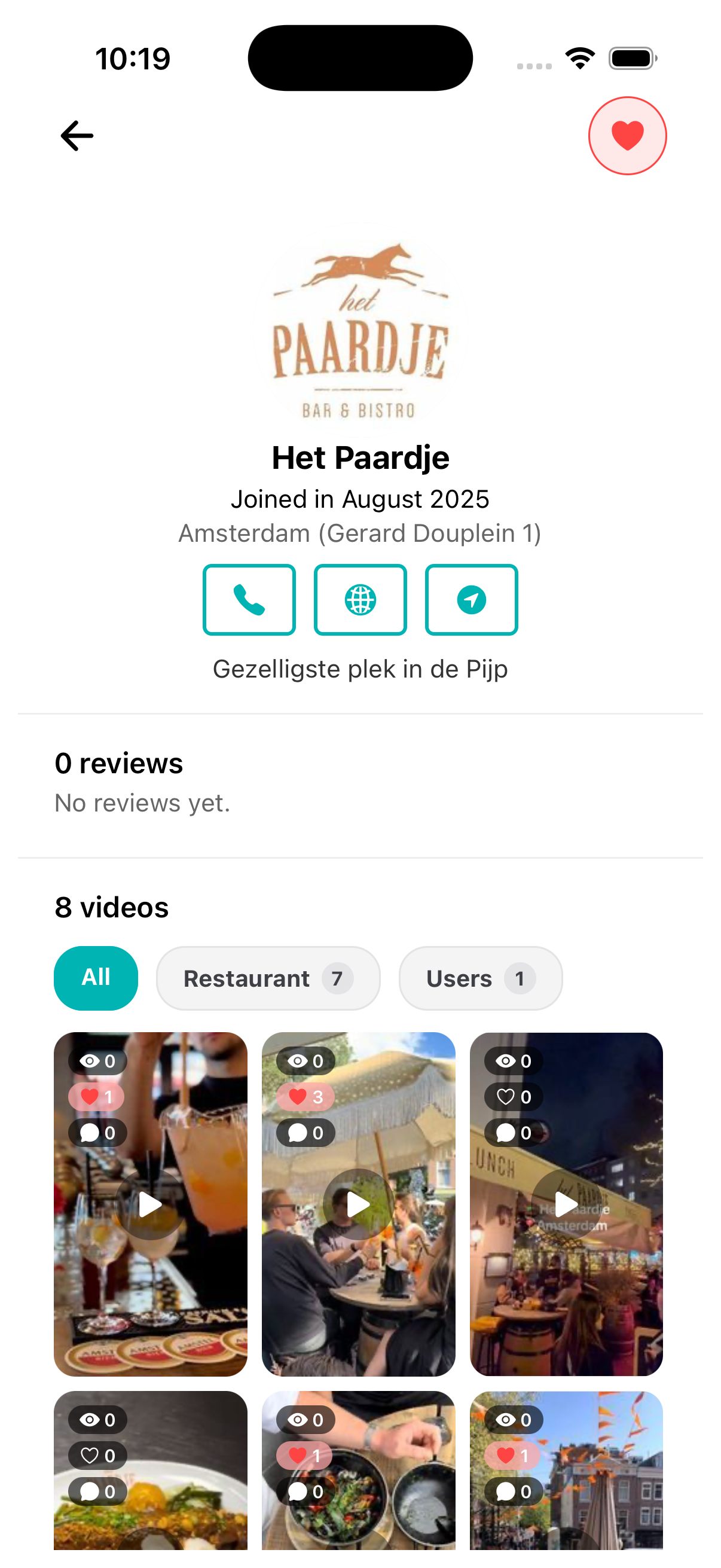
Venue Pages
Focus: Closer look
Go deeper before choosing where to go
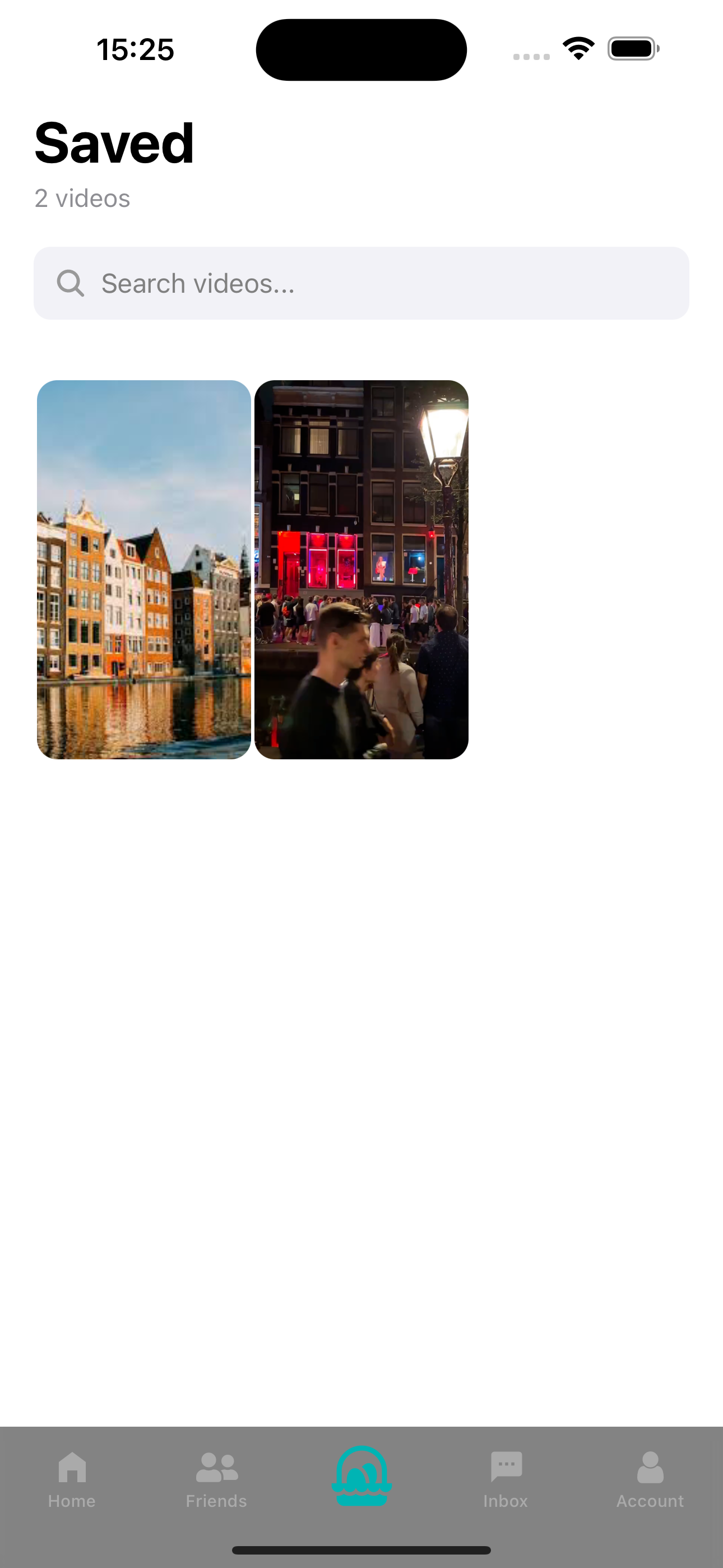
Basket
Focus: Shortlisting
Save the good options in one place
What Comes Next
Focus: Roadmap
How we expect the product to grow after launch
Step 6
Growth roadmap
The next phases are about scaling with restaurants first, then expanding into a broader all-in-one travel experience.
View RoadmapWhat We're Optimizing For
The first version of Eggi is built around a few simple behaviors that keep discovery useful instead of overwhelming.
Start in Dream
Use the inspiration feed first when you are still feeling out the mood.
Switch when timing matters
Move into For Tonight as soon as the decision becomes practical and time-sensitive.
Use the map as a reality check
A place can look great in the feed and still be wrong for your location, so keep the map in the loop.
Save fast, decide later
The Basket is there so you can collect promising places before you are ready to choose.
Expect a focused first release
The launch version is intentionally lean so the core flow can feel solid before more layers are added.
Stay close to updates
The roadmap and waitlist are the best places to follow what changes as launch gets closer and the broader travel vision takes shape.
Homepage Walkthrough
Want the current visual walkthrough? We placed the latest product video on the homepage so it is easy to find.
Stay in the Loop
The app is not in the stores yet, so the best next steps are to join the waitlist and follow the roadmap.